

When an Advantest test machine V93000 cannot connect to its test head or loses the connection during operation, do not assume that an instrument card has failed. Preserve the first error, establish whether the controller remained operational and check for preceding power, cooling or system alarms.
A communication message identifies a failed interaction. It does not necessarily identify the component that caused it.
The first task is to distinguish a startup connection failure from a connection lost after successful operation.
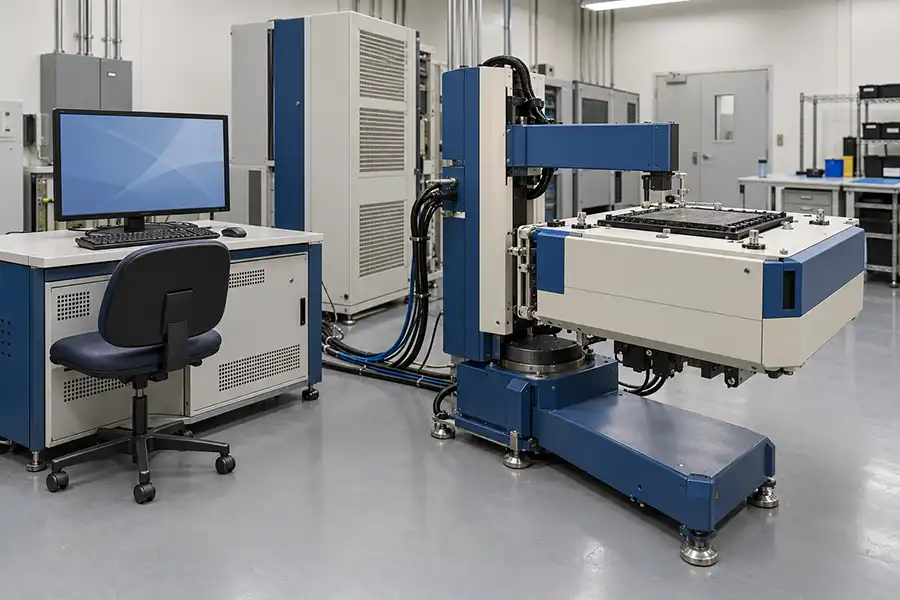
Startup Failure or Runtime Disconnect?
These two situations provide different evidence.
| Situation | What to establish first |
|---|---|
| The test head never becomes available after startup | Whether the controller, test-head readiness and initialization sequence completed as required |
| The connection drops after successful initialization | What changed or alarmed immediately before the interruption |
| One instrument fails initialization while the head remains accessible | Whether the problem is limited to that instrument or its dependencies |
| Device testing stops but the head remains connected | Whether the interruption belongs to the program, interface or automation flow |
| The controller itself freezes or restarts | Whether loss of the host caused the apparent test-head disconnect |
Record the precise stage at which operation stops. “The tester is disconnected” is less useful than “the controller remained responsive, but the test head became unavailable after a cooling alarm.”
In a V93000 semiconductor tester, a connection failure can involve the controller, communication path or test-head infrastructure. Identify the affected connection before deciding which component requires investigation.
Confirm Which Connection Has Failed
Before changing cables or ordering a replacement board, identify the endpoints involved in the error.
The relevant relationship may be:
The controller communicating with the test head.
The system initializing an individual instrument.
The tester exchanging signals with a handler or wafer prober.
Software contacting a license server.
A remote workstation accessing the tester controller.
A handler timeout does not establish that the controller-to-test-head connection has failed. Similarly, losing remote access to the controller does not prove that the tester's internal communication path is defective.
Use the original message and system status to identify the affected relationship. Avoid treating every communication-related message as the same fault.
Save the First Error Before Restarting
A restart may restore operation temporarily while removing useful context from the screen.
If safe, preserve:
The complete first error and subsequent messages.
Relevant controller and tester logs.
The time of the interruption.
Which applications and services remained responsive.
Test-head and cooling-unit status.
Whether all instruments or only one resource became unavailable.
The program and operating stage active at the time.
Recent software, hardware or facility changes.
Keep timestamps aligned when comparing logs from different systems. A controller clock and a facility monitoring clock may not show the same time.
Do not invent an error-code interpretation from a similar message found for another V93000 generation. Retain the exact wording for review against the applicable documentation.
If the Test Head Does Not Connect at Startup
Check Controller Readiness
Establish whether the controller completed its normal boot and whether the required software environment is available.
If the controller does not boot, repeatedly restarts or becomes unresponsive, investigate that condition before attributing the problem to the test head.
After a controller replacement or system-image restoration, review the supported operating environment and restored configuration. A working desktop does not prove that the tester environment has been restored correctly.
Avoid reinstalling software or changing configuration files before preserving the existing state and backups.
Review Test-Head Readiness and Earlier Alarms
Check the status information permitted by the operating procedure. Identify whether initialization is being prevented by an unresolved system condition.
Power, cooling or other protective conditions may interrupt readiness and produce a later communication error. Investigate the earliest relevant event rather than only the final message.
Do not bypass an interlock or suppress a protective alarm to force initialization.
Inspect the Documented External Communication Path
Identify the correct communication path for the installed controller and test-head configuration. Cable types, connectors and infrastructure differ across installations.
With the system in the prescribed safe state, qualified personnel can inspect accessible connections for damage, strain, insecure retention or changes made during recent service.
Do not assume that an ordinary network cable is a suitable replacement. Do not unplug an operating system experimentally or disturb optical connectors without the specified handling procedure.
A visible link indication, where present, is supporting evidence rather than proof that all required communication is functioning.
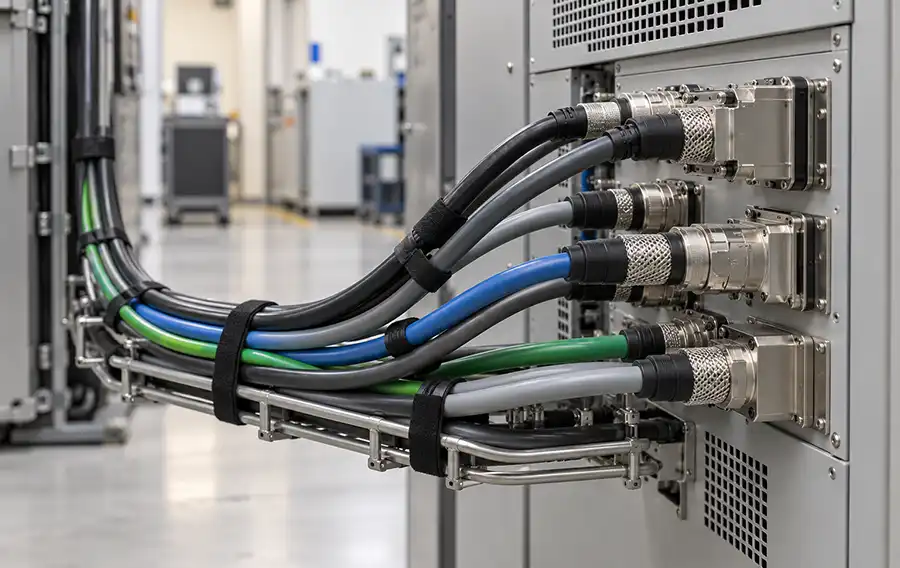
If the Connection Drops During Operation
For runtime interruptions, the event sequence is particularly important. Determine what happened before communication was lost.
| Observed pattern | Investigation direction | What it does not prove |
|---|---|---|
| Disconnect follows a cooling or power alarm | Review the initiating alarm and protective response | That the communication hardware is defective |
| Controller freezes or restarts at the same time | Review controller and operating-system evidence | That the test head initiated the interruption |
| Failure follows test-head movement | Inspect permitted external cable routing, strain and associated connections | That movement has conclusively identified the failed part |
| Interruption begins after a software or configuration change | Compare with the documented supported configuration | That the software change is necessarily the root cause |
| One instrument reports errors before wider loss of operation | Review the original instrument error and shared dependencies | That the instrument alone caused the shutdown |
| Failures occur only during a particular program | Compare resource use and operating conditions | That the program is faulty or the hardware is healthy |
These patterns guide investigation. They are not substitutes for diagnostics or a confirmed repair finding.
Record Conditions Before a Load-Related Interruption
If the tester remains connected while idle but disconnects during device testing, record the active configuration and operating conditions.
Power and cooling behavior, instrument activity, controller events and program execution may all be relevant. An idle connection test does not reproduce every condition present during production.
Do not repeatedly run a suspected damaging condition simply to reproduce the fault.
Treat Movement-Related Symptoms as a Separate Clue
If interruptions appear after docking, undocking or repositioning, document the relationship without repeatedly moving the head to provoke failure.
External cable strain or a connection affected by movement may warrant investigation. The mechanical position may also coincide with another change, so timing alone is not a diagnosis.
Do Not Replace PS1600 or AVI64 Based on a Disconnect Message Alone
An individual instrument fault and loss of test-head communication require different evidence.
If an instrument reports a diagnostic failure while the test head remains accessible, investigate that resource using the corresponding procedure.
If multiple instruments disappear together, review shared infrastructure before concluding that several cards failed simultaneously.
A replacement instrument should be considered only after the investigation identifies a justified hardware requirement. Uncontrolled substitution can introduce compatibility questions, configuration changes and additional calibration requirements.
Where substitution is authorized, use verified compatible hardware and change one variable at a time. Record the original and replacement identities and the results of the comparison.
What Must Be Verified After Recovery?
A successful reconnection is an initial recovery result. It is not complete production acceptance.
Follow the applicable startup and post-service procedures, then verify:
Expected hardware recognition.
Completion of required diagnostics.
Resolution of the initiating alarms.
Any calibration required by the intervention.
Stable operation under the relevant application conditions.
Correct communication with the handler or prober, where applicable.
For an intermittent problem, define a meaningful verification scope based on when the failure occurred. A short startup test is insufficient to demonstrate resolution of an interruption previously occurring after extended operation.
If the connection drops again, preserve the new evidence and continue the investigation rather than relying on repeated resets.
Information Needed for Repair or Replacement Assessment
Before shipping a controller, interface assembly or instrument, provide:
| Information | Purpose |
|---|---|
| V93000 generation and test-head identification | Establishes the hardware context |
| Controller model and software environment | Supports configuration review |
| SmarTest release | Identifies the installed software context |
| Exact first error and full logs | Preserves the original failure sequence |
| Startup or runtime occurrence | Separates initialization from intermittent operation |
| Power and cooling events | Helps identify an upstream interruption |
| Recent changes | Defines relevant comparisons |
| Suspected component labels | Supports accurate part matching |
Remove confidential device-program information where necessary, while retaining the diagnostic details needed to investigate the fault.
For overseas service, this evidence helps determine whether the next step should be a local facility check, an authorized system inspection, a controller assessment or a specific component repair. It can also reduce the risk of shipping an unrelated assembly.
Request a V93000 Connection-Fault Assessment
Send the original connection error, system identification and a brief timeline of the event. State whether the test head never connected, disconnected after initialization or became unavailable following another alarm.
Include the checks already completed and any hardware or software changes made since the last successful operation.